Reimagining video collaboration tools
INDUSTRY
WorkTech • Productivity
MY ROLE
Product Design
TEAM
PM, PO, 4 x Dev
TIMELINE
Aug 2021 - June 2022
ABOUT
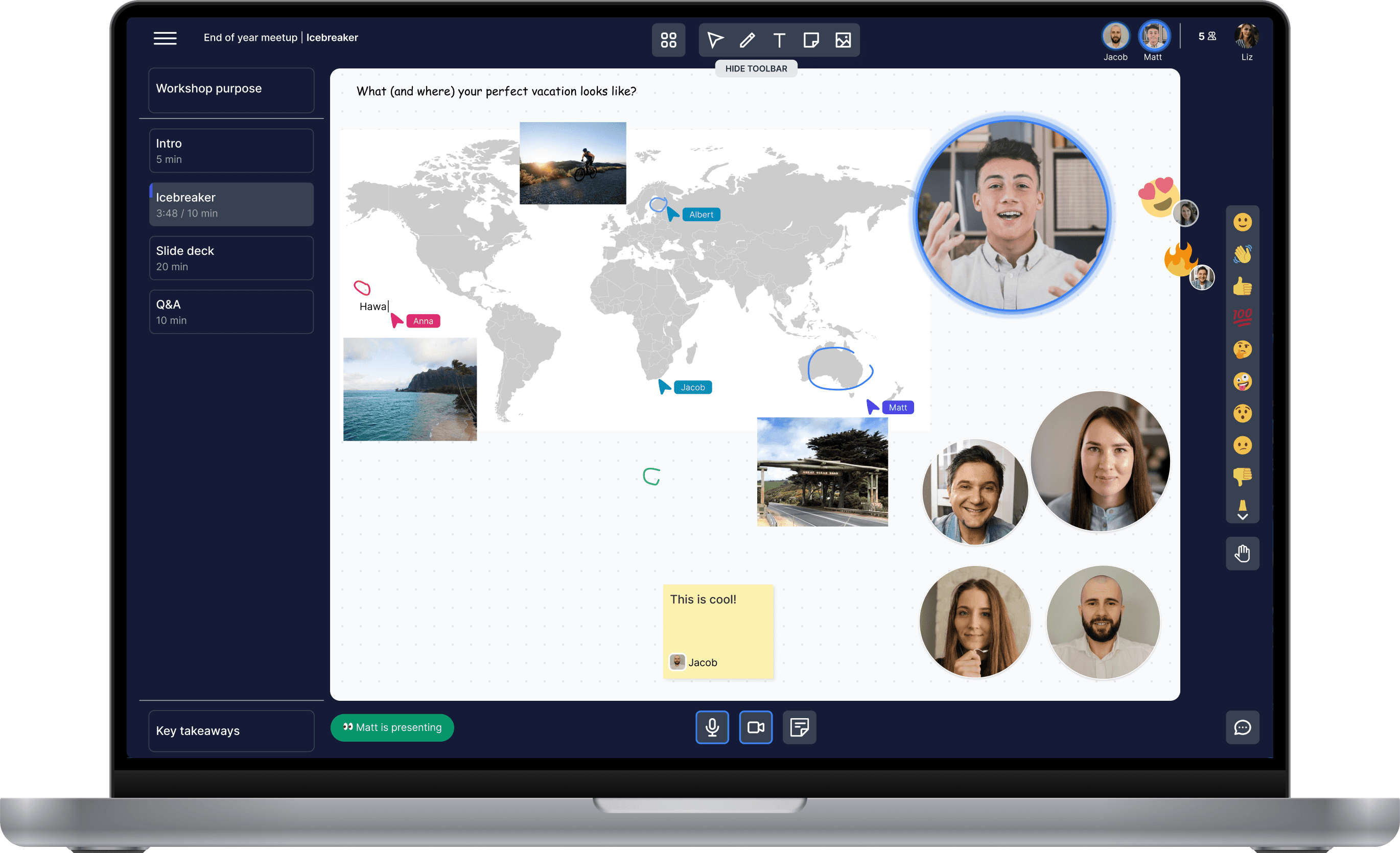
Skechy was born during the pandemic. The project originally centred around remote virtual meetings and how Zoom fatigue can be combatted for distributed teams. However, after exploring the problem space, we pivoted toward a visual collaboration tool aimed at simplifying creative expression and finding hidden value inside remote meetings.
BACKGROUND
During the lockdown, people needed software that focused on micro-interactions, replicating the dynamics of physical meetings. No such application perfectly combined collaboration and video conferencing, as the tools were built previously and then adopted when remote work was required.
IMPACT
Designed and launched a collaborative tool, where creating a playground is based on widgets, keeping interaction, collaboration, and creativity at the forefront of every meeting
Proved product-market fit and acquired 100+ users within the first four months
Discovery
Surveyed 100+ people who are dealing with online communication at work. Following the survey, I Interviewed 36 professional facilitators and meeting organisers.
INSIGHTS
67% have experienced disengagement during meetings
77% have experienced difficulties facilitating workshops, especially while juggling different tools
59% said that digital tools are difficult to use and it takes time to learn
It's difficult to keep participants engaged or to tell how they are feeling remotely
There is a need to use multiple platforms to enable more creative sessions
Meetings are dominated by a couple of participants
GOALS
🎯 Have a digital body language in the platform to keep the engagement and positive connotation
🎯 Have just the right amount of tools so the users can conduct more structured workshops and provide flexibility for any activity, all in the same environment
Ideation
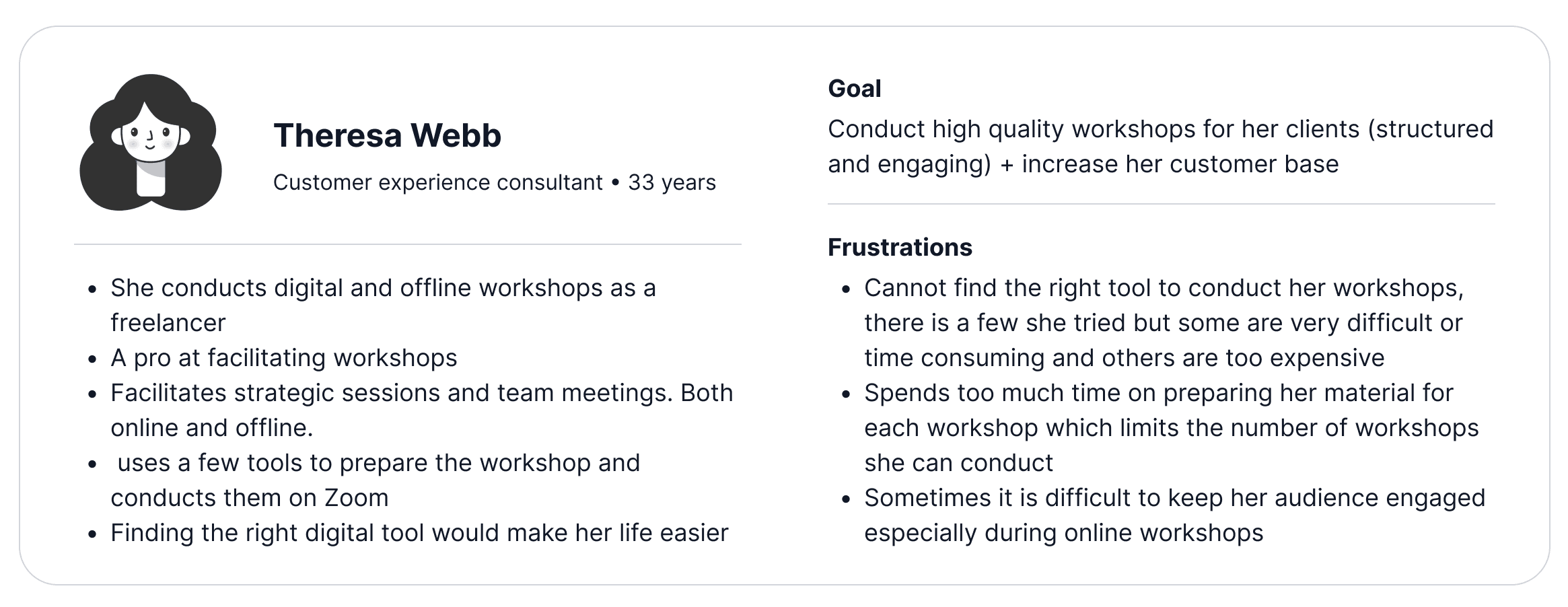
After the survey and interviews, we understood that there are several personas we can conclude. However, since the goal was to create an MVP at that time, we decided to focus on professional facilitators first.
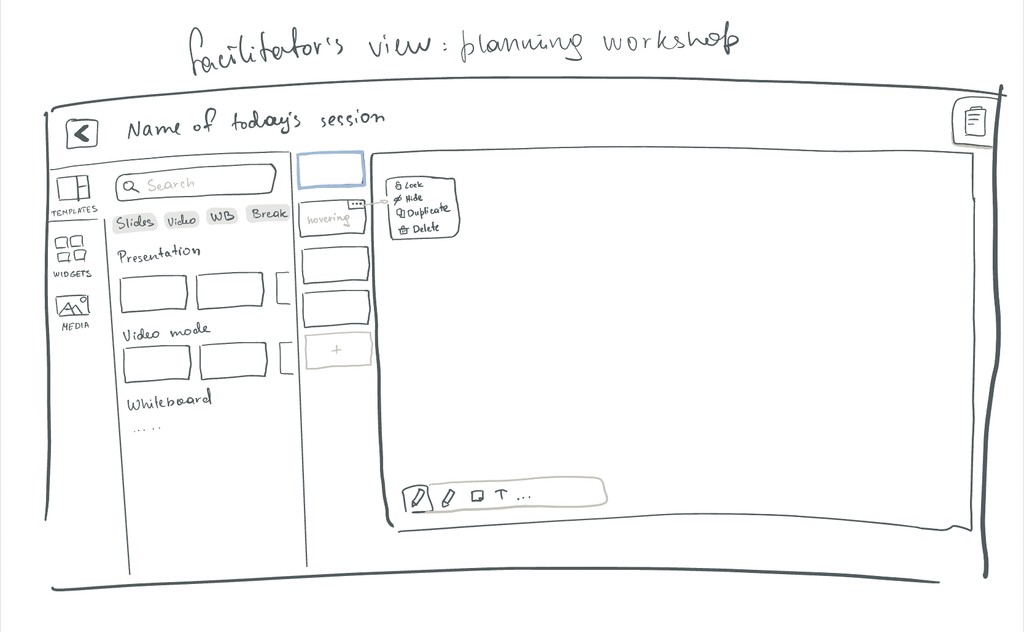
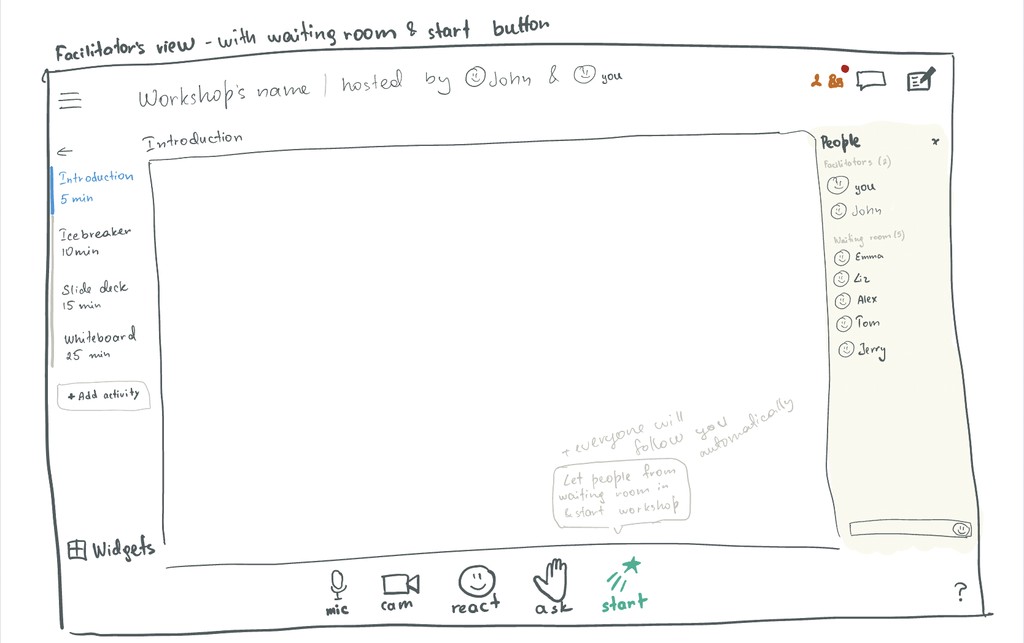
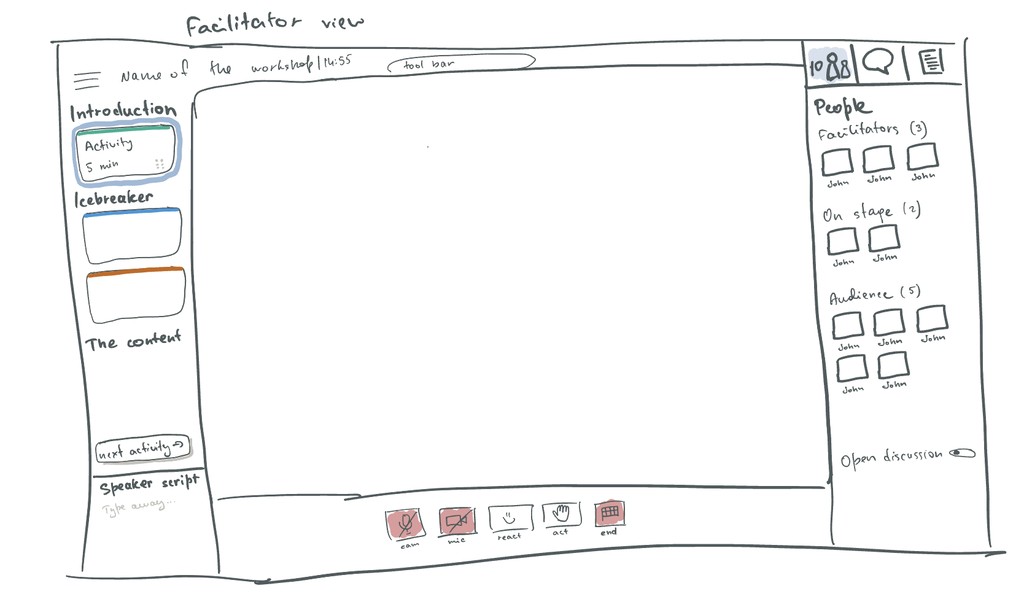
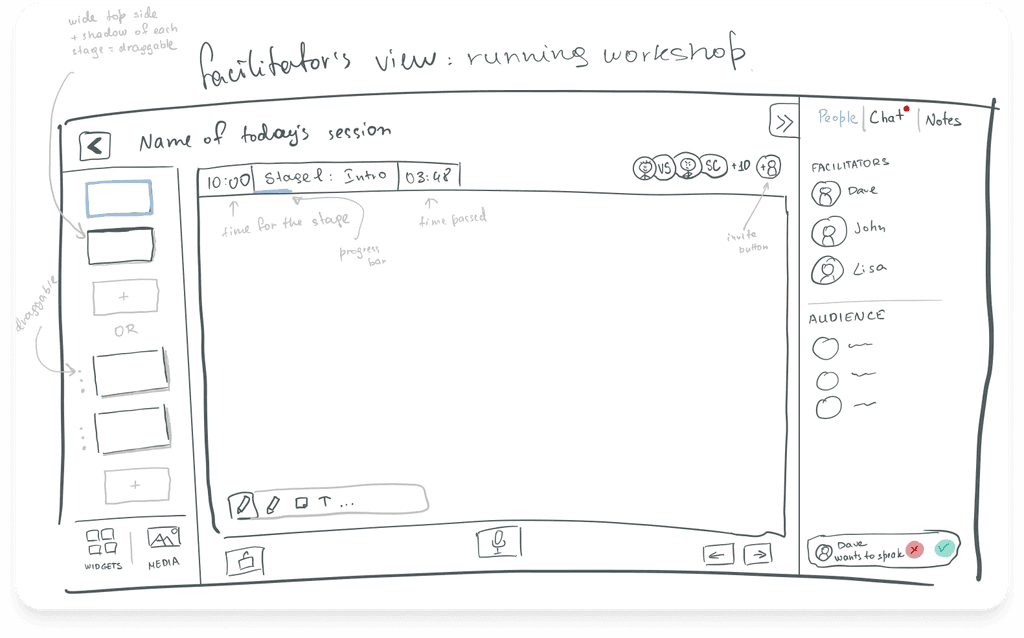
I sketched multiple layouts to visualize ideas quickly. My focus at this stage was to diverge first and converge later.
Iterations
VERSION 1
Minimalistic, simple, and approachable style, as we wanted users’ focus to be concentrated on the content area.
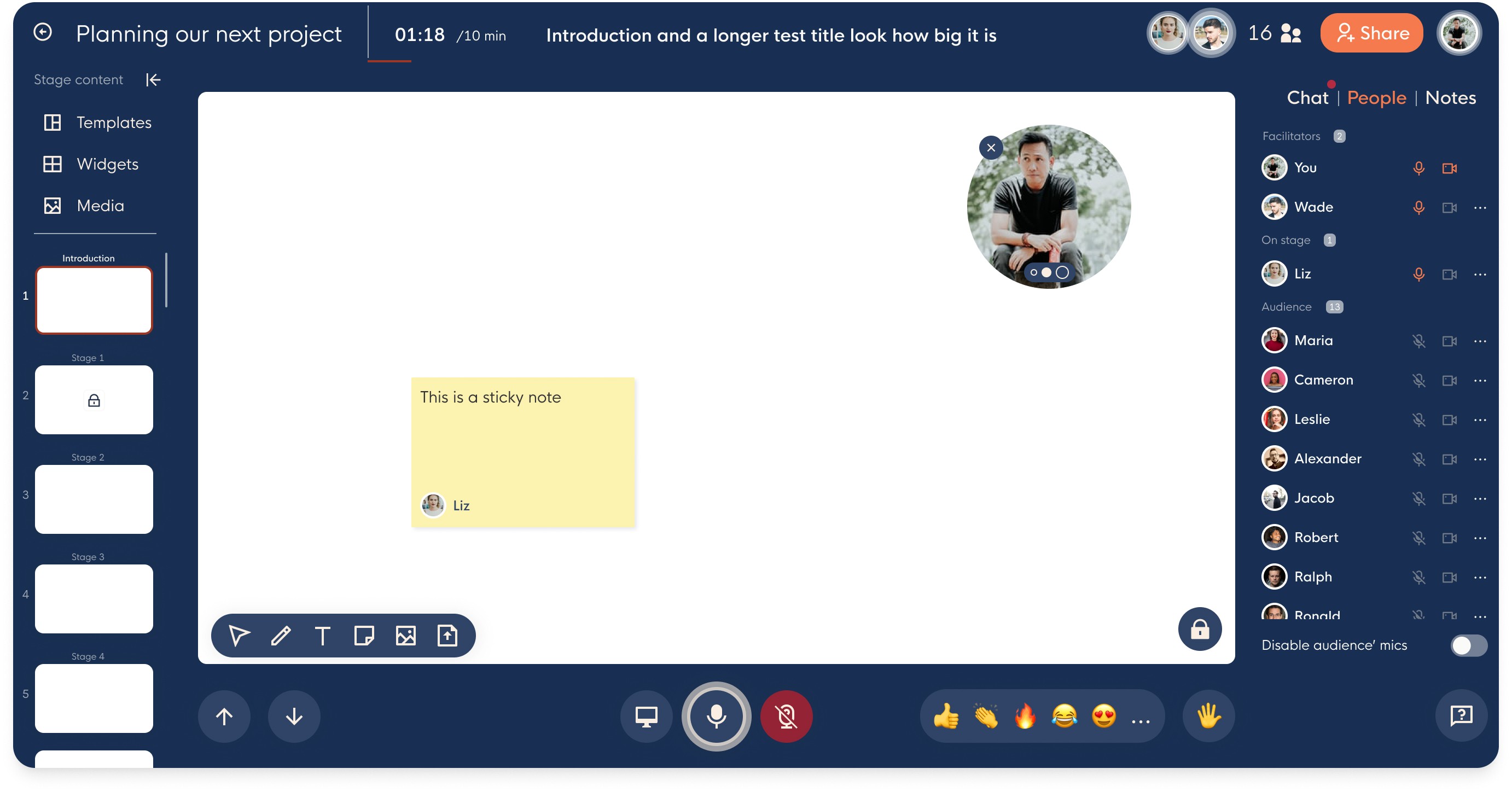
After using this version for a while, we realised a few things were not working well:
❌ The people list needs to emphasise people and their engagement more
❌ Agenda was lacking many important information
❌ Templates, widgets, & media (users didn’t understand where these elements relate to)
VERSION 2
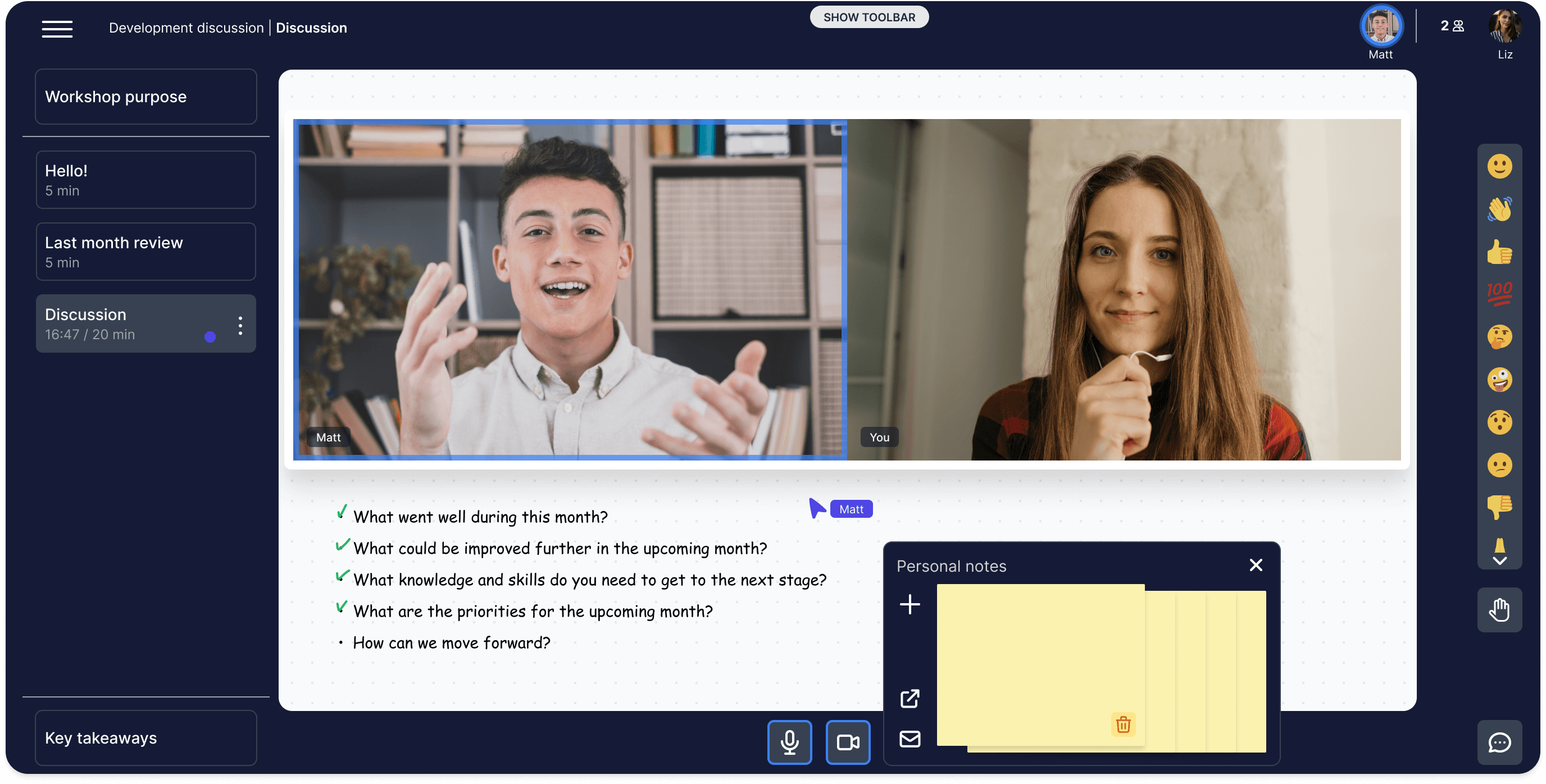
Additionally, we’ve added new features to the next version, like the speaker’s script and presentation mode. I’ve also elaborated the visual identity by going more into dark mode to keep the focus on the whiteboard content.
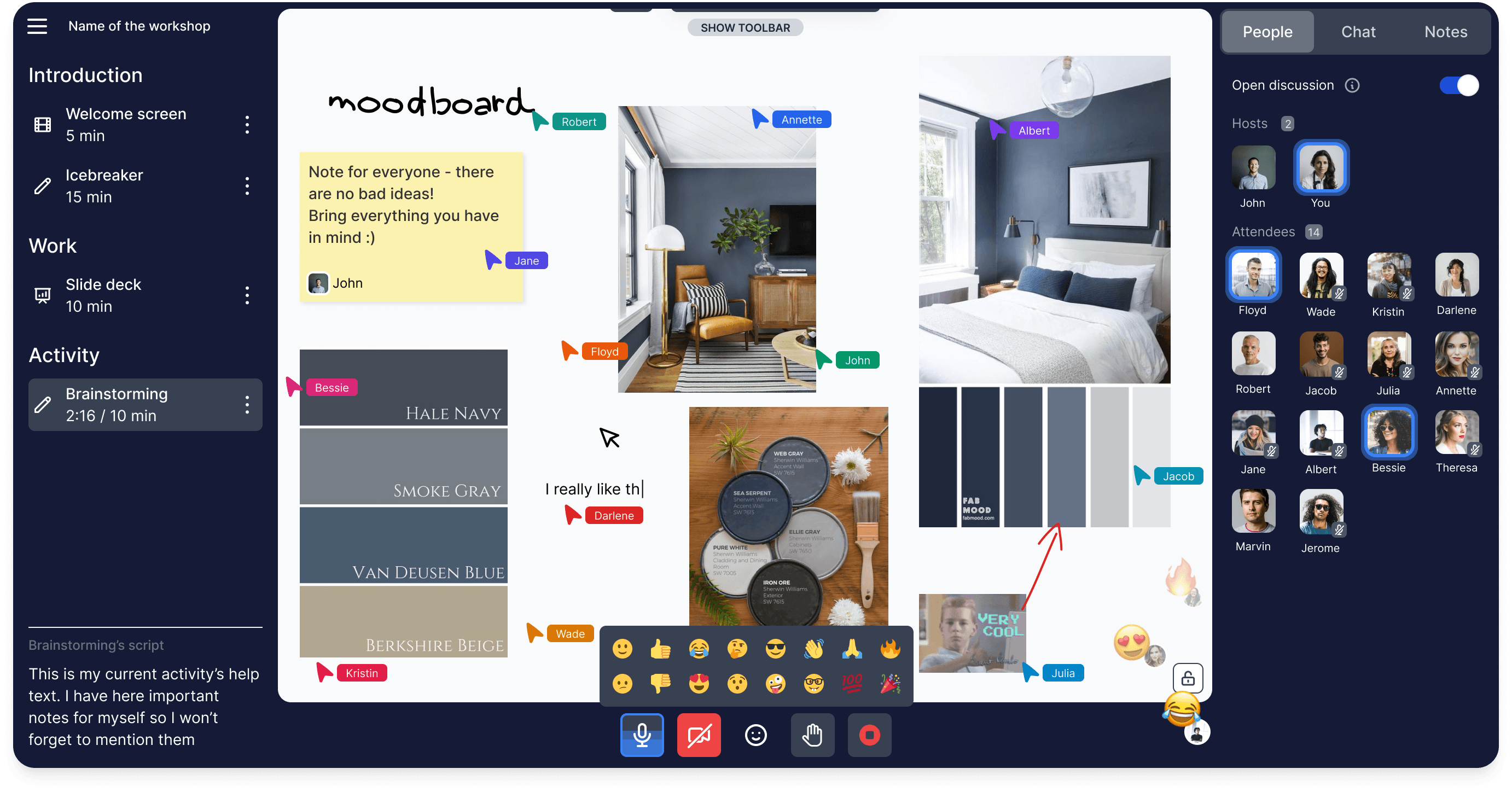
By using this version ourselves and by our early adopters, we couldn’t help but notice elements that still could be improved:
❌ The whiteboard size felt like it lacked space
❌ People were using reactions less as we hid them behind a button
❌ The people list was grabbing too much of users attention
❌ The toolbar was out of easy reach
❌ The notes tab wasn’t that useful the way we designed it
VERSION 3
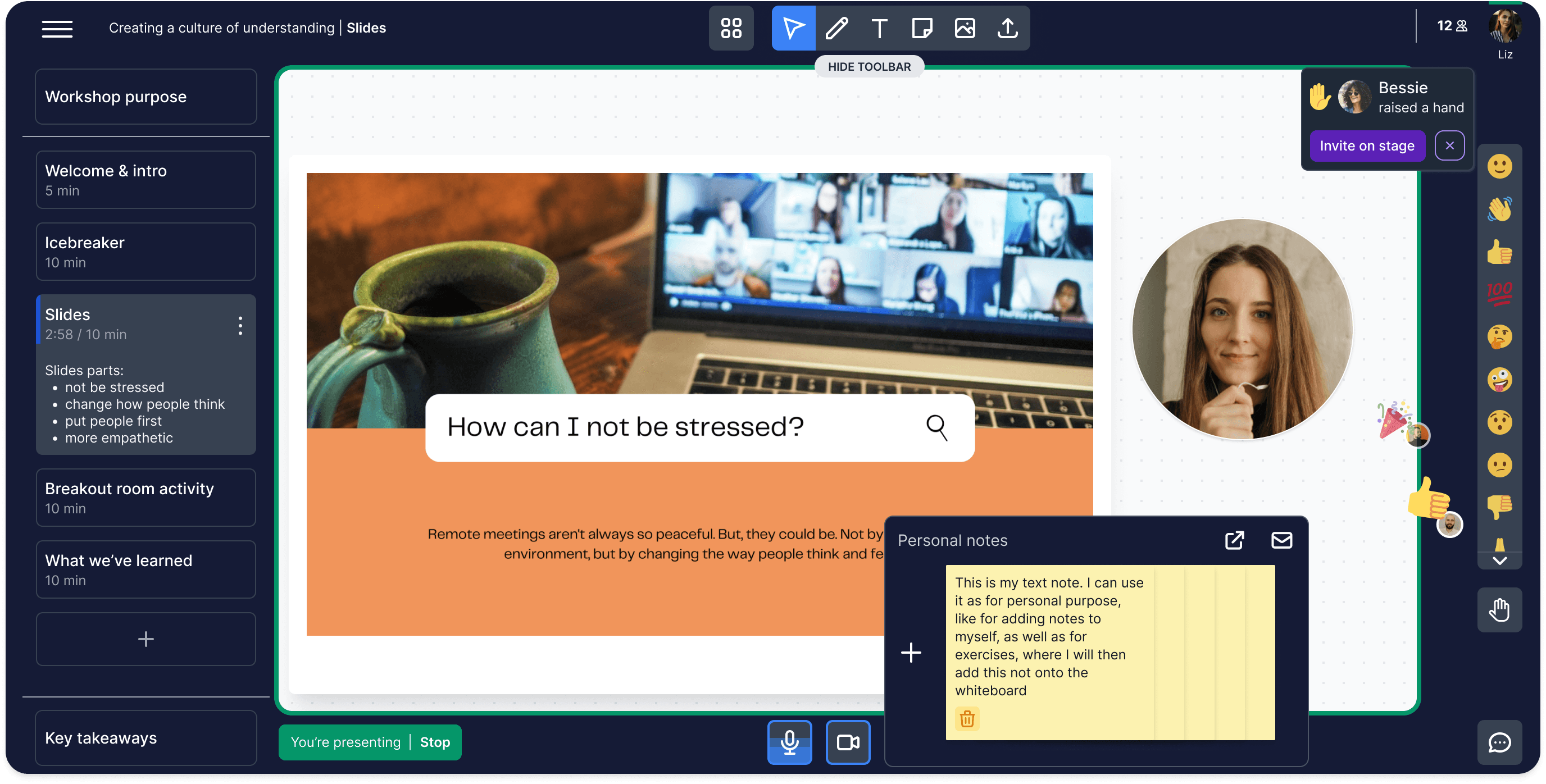
Our team and early adopters were satisfied with this design layout iteration and we shifted our focus on the content next.
WIDGETS
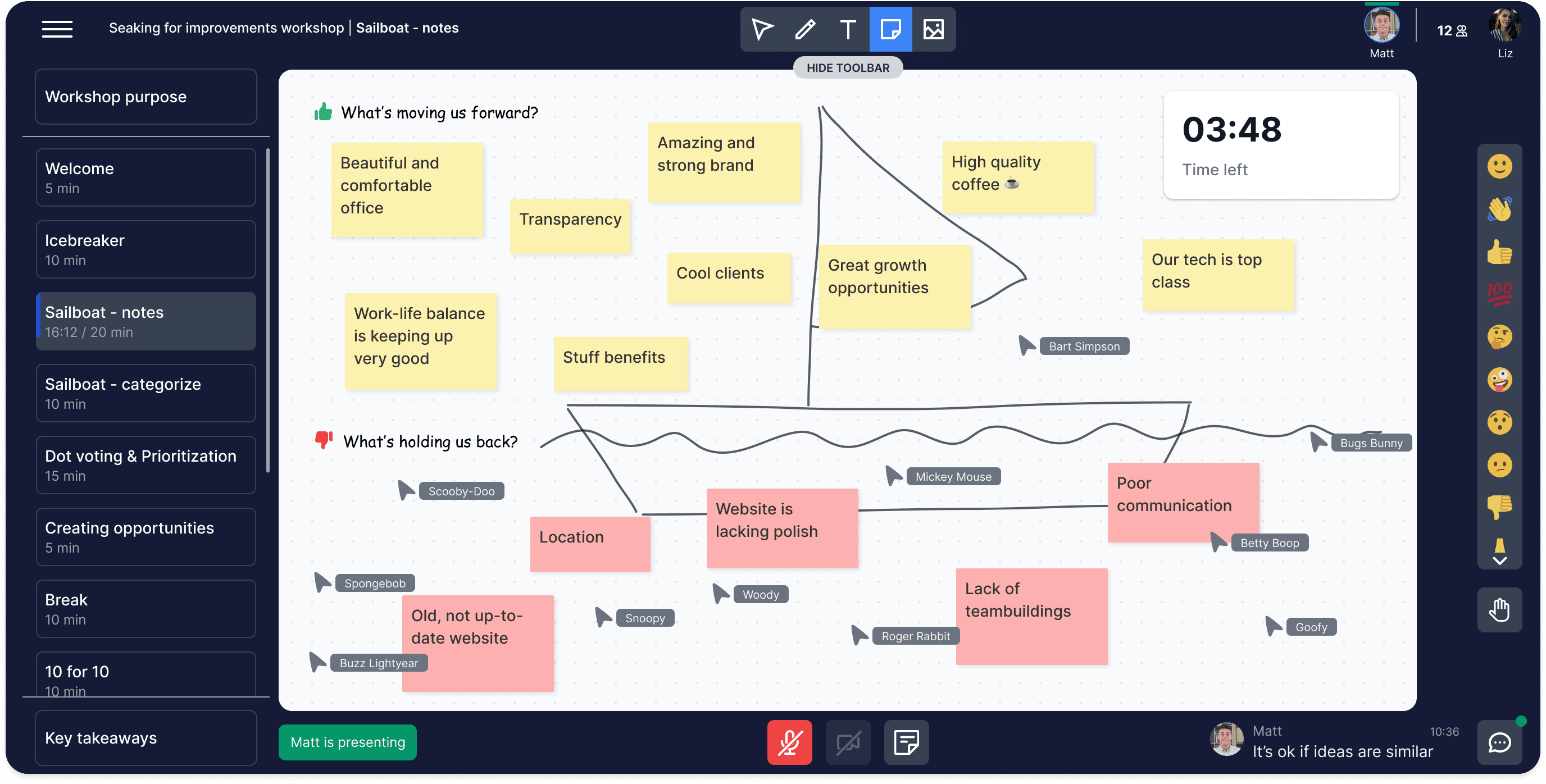
The principle of creating activities is based on widgets. Based on the interviews of people's activities during workshops, we chose seven popular widgets, which I adapted to match their style. Later, based on user feedback, we added three more.
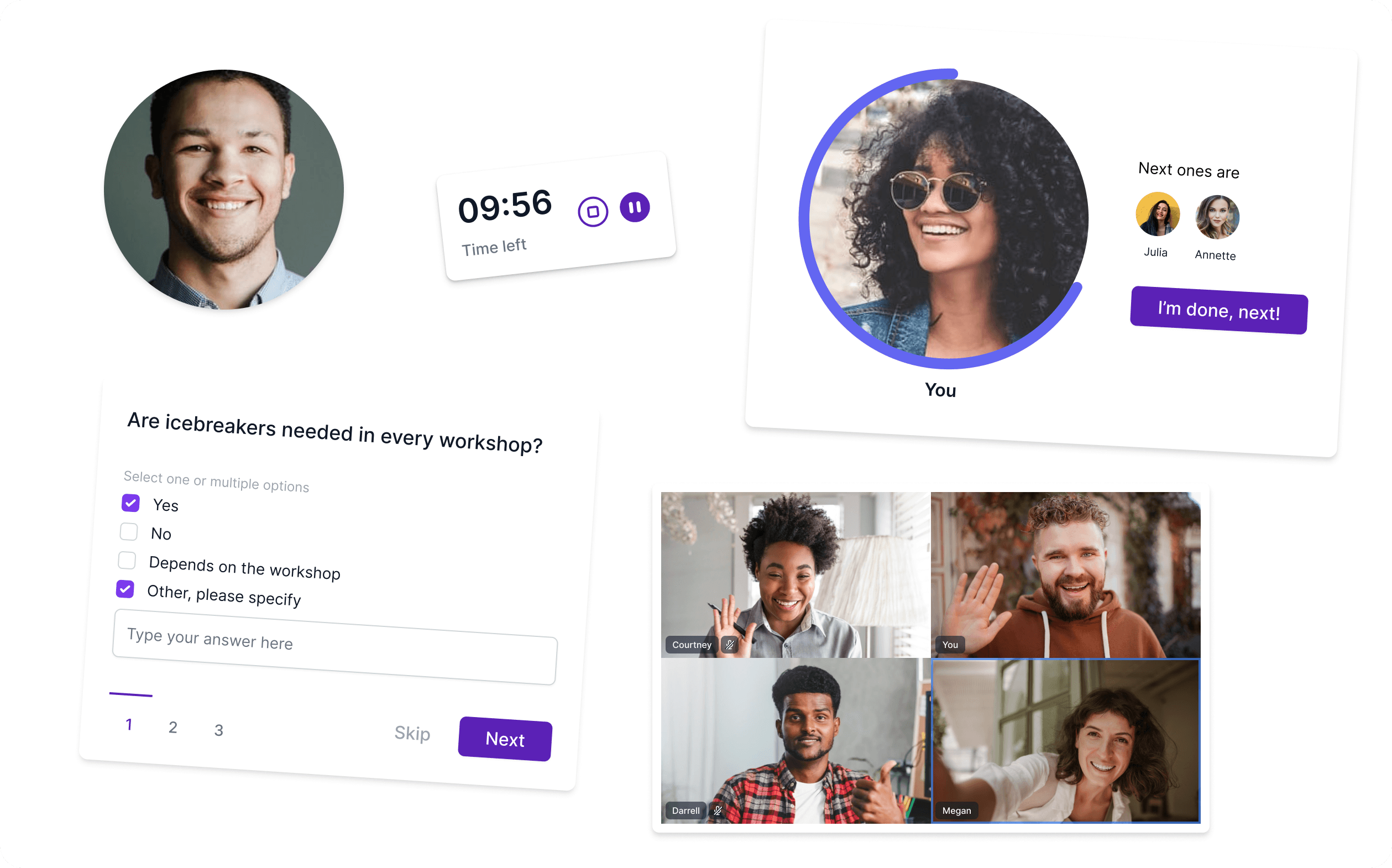
Final design
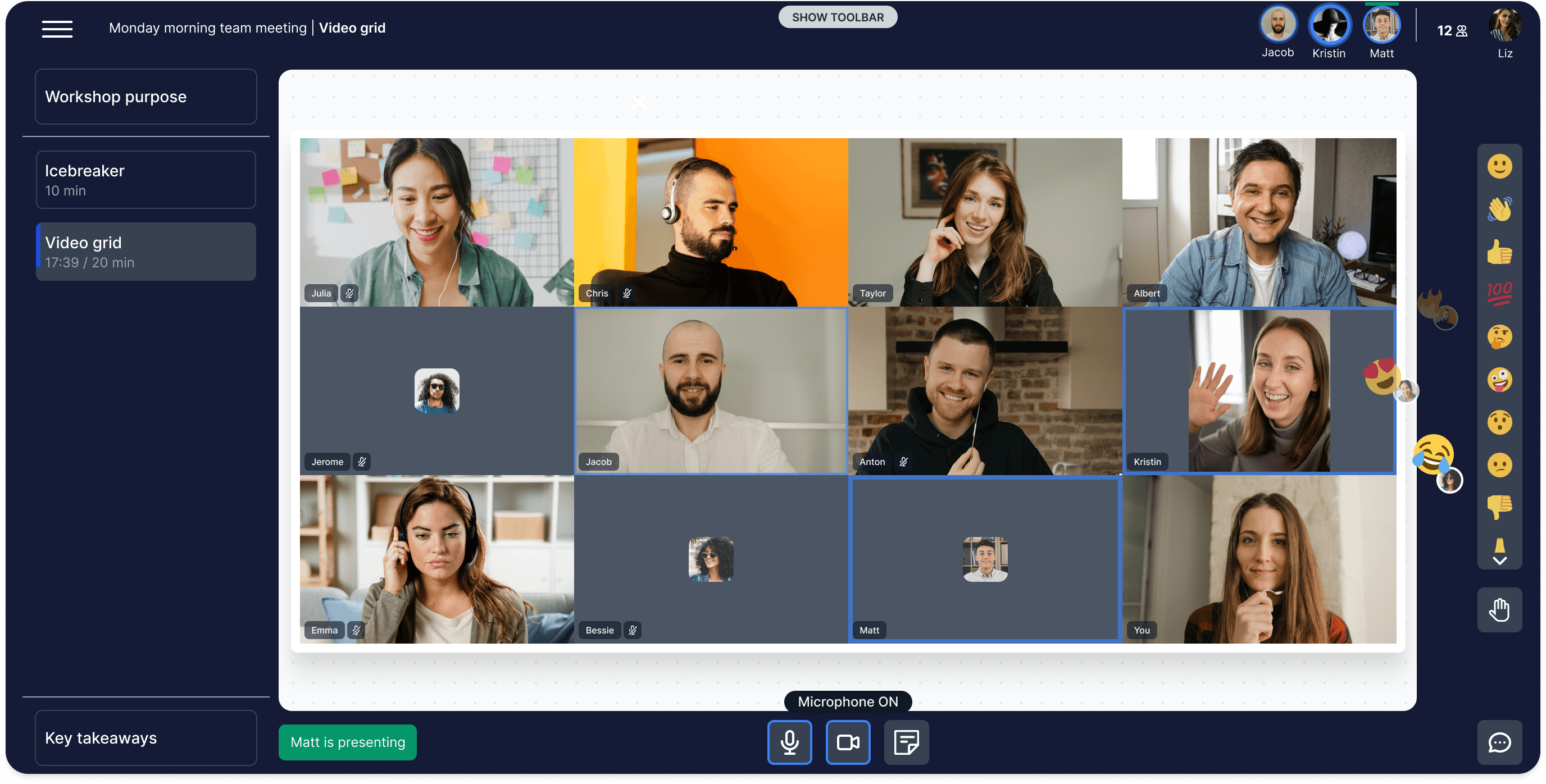
Different activities, different platform looks