MY ROLE
Research • UX design • UI design • Concept Validation
TEAM
UX/UI Designer • Customer • 2 developers
TIMELINE
Jan - Jun 2021
Automating facilitation expertise into workshop preparation tool
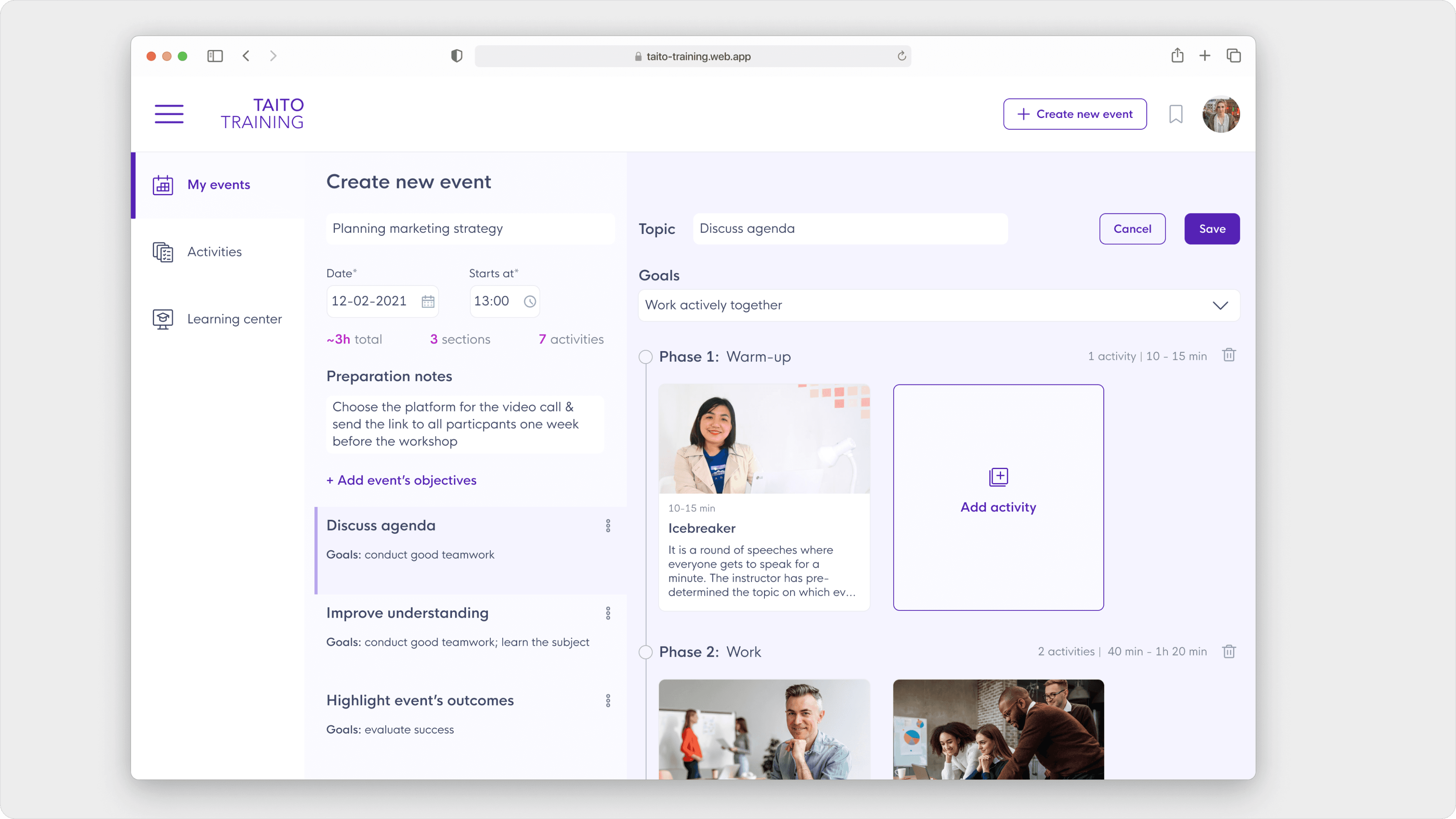
Taito Training is a web platform designed to help project leaders create and manage workshops. It provides essential tools to facilitate meetings and workshops, ensuring engagement, alignment on goals, and improved team collaboration.
CHALLENGE
Many people who are experts in their own fields don’t really know how to teach others or how to run meetings or workshops properly. It’s hard for them to present information and engage with the audience.
IMPACT
Designed and delivered a platform that provides users with the right set of tools to effectively manage workshops. The end result was a scalable product that validated initial assumptions at a fraction of the initial cost estimates in a much shorter time. 7 initial users continued using the platform.
TL; DR
Conducted 21 user interviews with coaches and facilitators.
Identified key challenges in activity selection, goal setting, platform navigation, and community building.
Created a centralized repository of 100+ digitalized facilitation activities and customizable templates.
Integrated community features to enhance collaboration.
Validated initial assumptions with positive user adoption; 7 early users continued using the platform.
Delivered a scalable product at a lower cost and faster timeline than estimated.
BACKGROUND
The client has been working on developing training courses, methods, and skills for over 10 years and has been teaching and coaching that individually. It was time to organise, digitalise, and automate all of that into one database.
CHALLENGE
To kick-start an online library-type platform with hundreds of activities for workshops
Finding a suitable teaching method and activities can be challenging, especially when you're a pro in your field but not a pro at teaching others or conducting workshops. It's important to have the right process that will best suit the specific training goal.
Create the service where facilitators prepare the big complex workshops
It takes a lot of time to prepare the workshop, especially the part when searching for the right material. Thinking the materials through and adjusting them for a specific workshop is difficult.
Understanding the users' needs and pain points
A total of 21 interviews were conducted with coaches that do training for different organisations, as well as facilitators conducting workshops within their own companies. Here are the key insights:
Choosing the right activity is hard
It takes a lot of time to prepare the workshop, especially the part when searching for the right material. Thinking the materials through and adjusting them for a specific workshop is difficult.
Workshop goals
Setting the right goal is important in order to achieve it by the end. The same content workshops, but with different goals, would have different methods and exercises. The role of the facilitator is to control and adjust the session flow according to the goal.
Multi platform workflow
There are way too many various platforms that users already use in their work, both for knowledge storage and workshop preparation. Even when conducting a workshop, some might use up to 5 different programs, which definitely taking energy not to lost within open windows.
The creation and usage of own templates
Many facilitators have own favourite methods and activities that they've been using for years. The main structure stays the same, but there are slight adjustments for a workshop's needs and goals.
Facilitators community
Being a facilitator is not only teaching but also a constant learning, especially from other colleagues. Many facilitators love to share and discuss their cases' knowledge, tips, and good teaching methods with each other.
Templates material
Often, coaches have many different meetings with pretty much the same structure. Preparing for them using templates would certainly save time and energy. For those who are not pro-facilitators yet, having templates would help to have a good structure and not "break the flow".
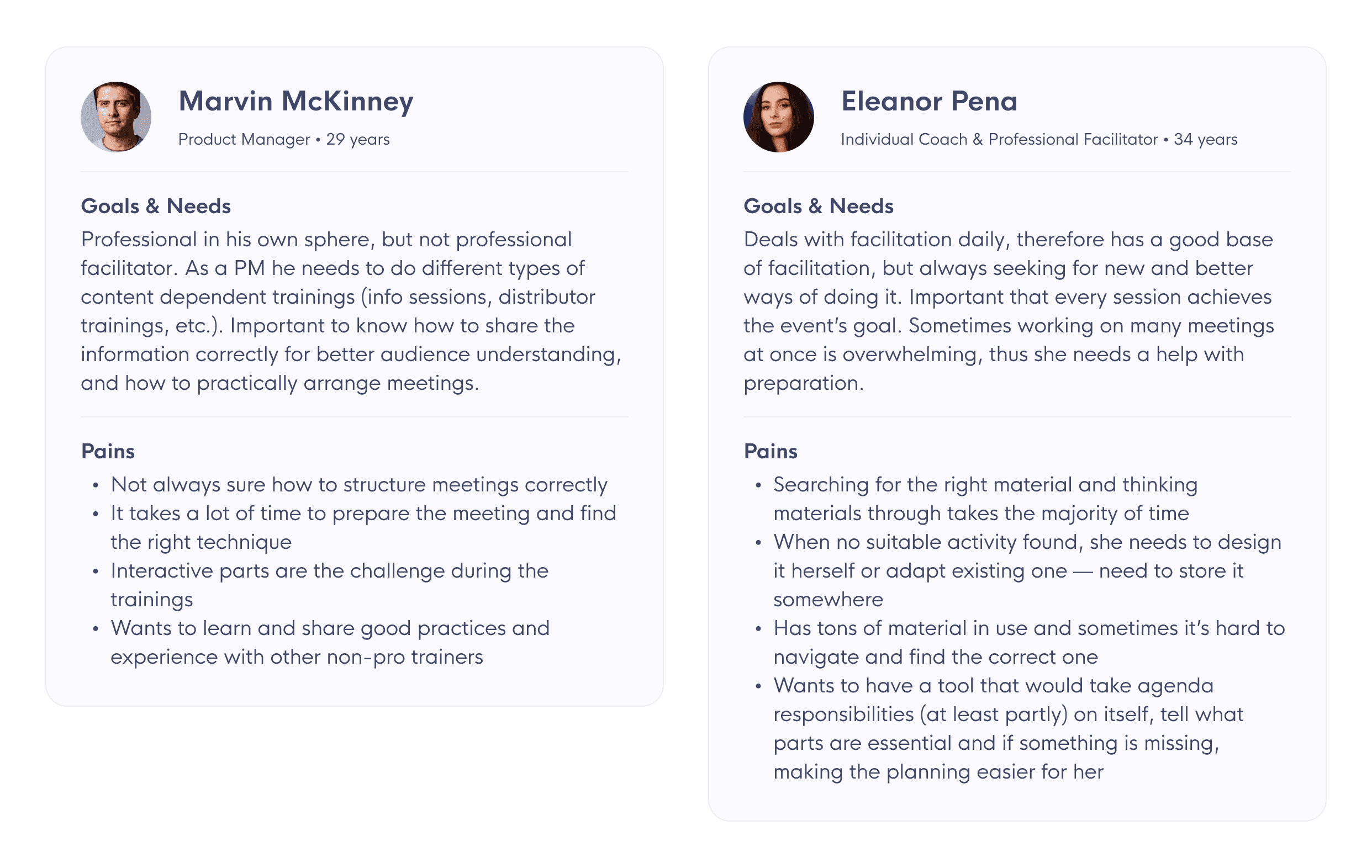
PERSONAS
The interviews helped to understand that mostly all users can be divided into two types – professional facilitators, doing workshops and meetings daily, as well as developing training materials; and non-professionals – being a facilitator is not their main task, but they still do a lot of trainings and need to know how to share the knowledge in the right way.
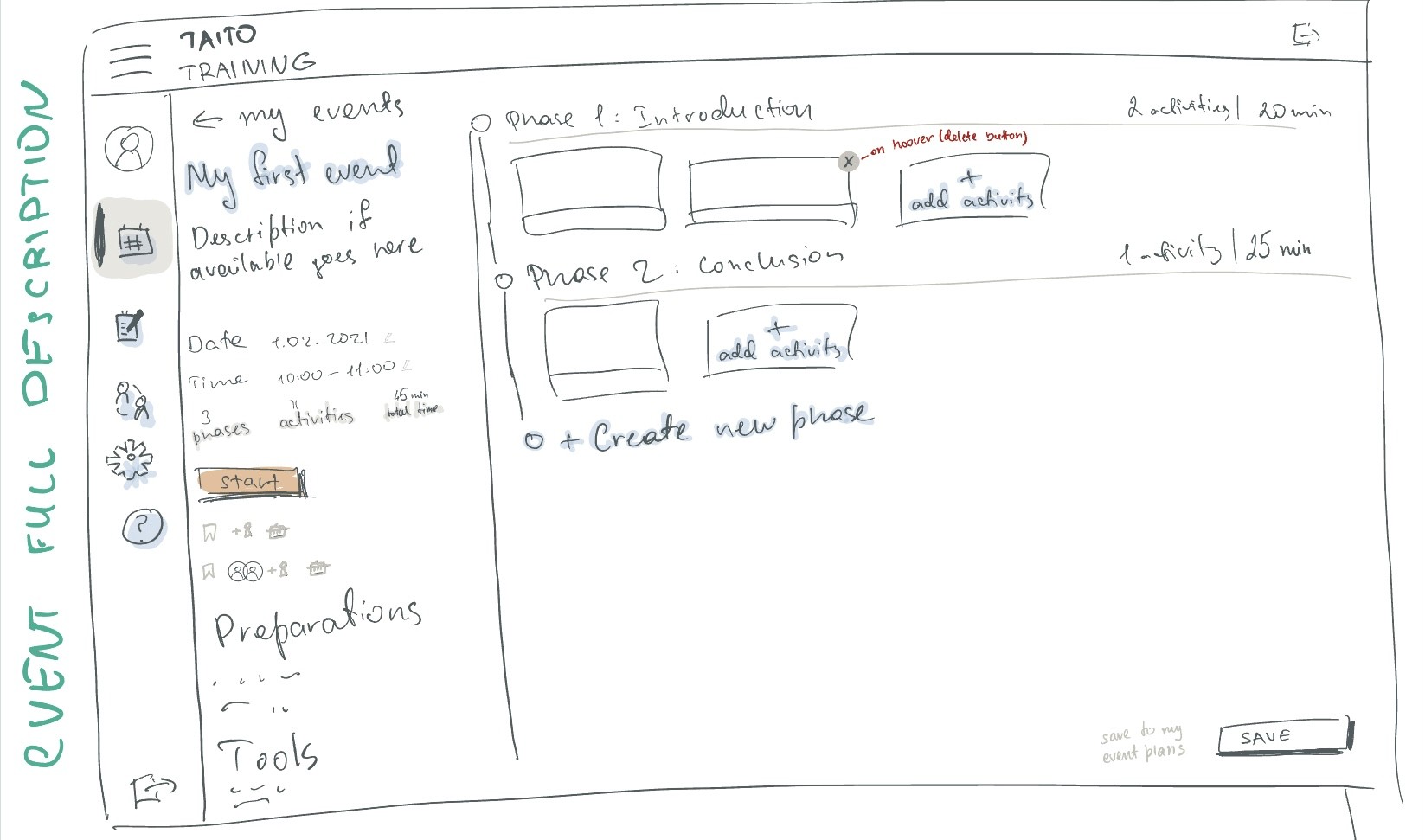
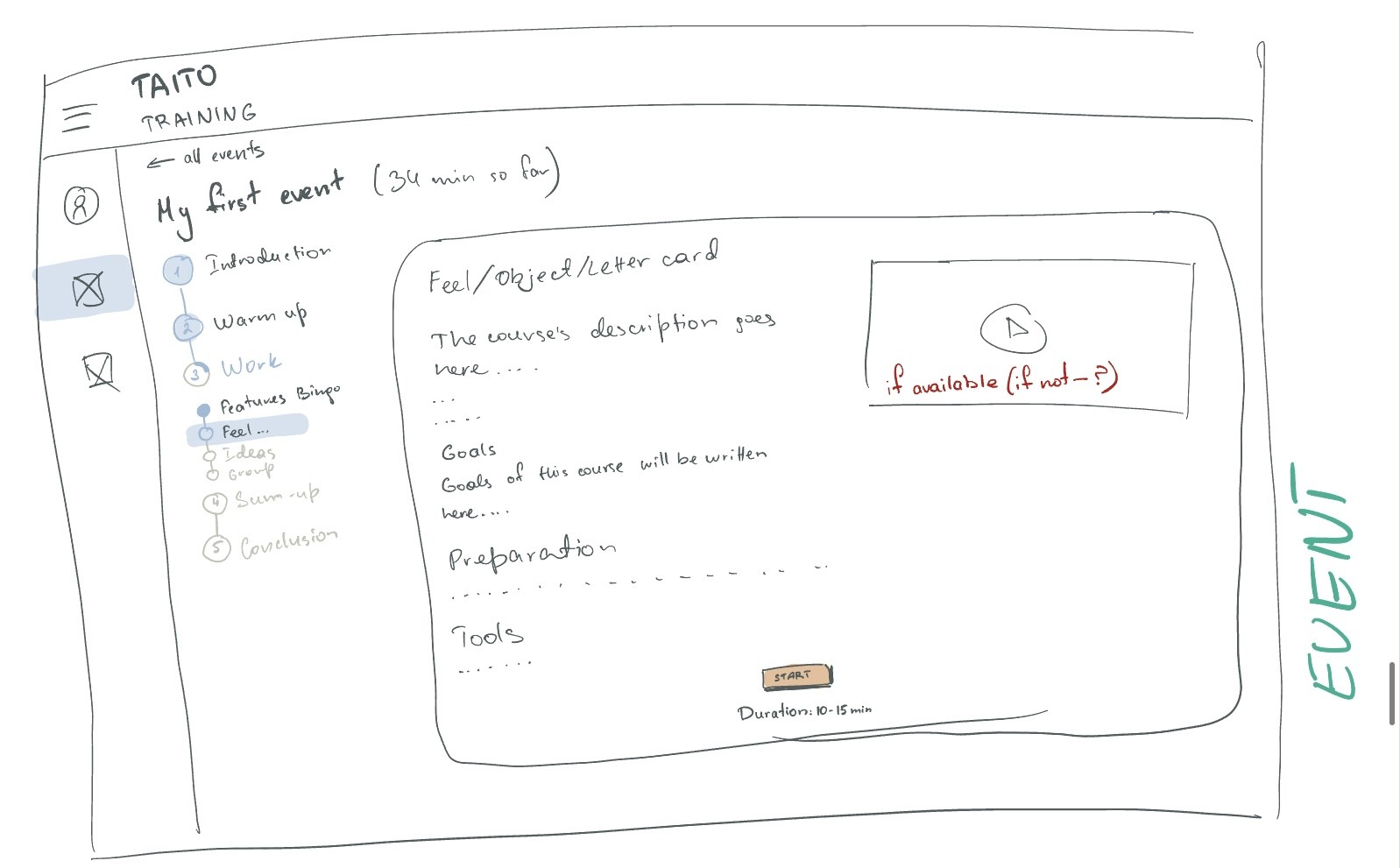
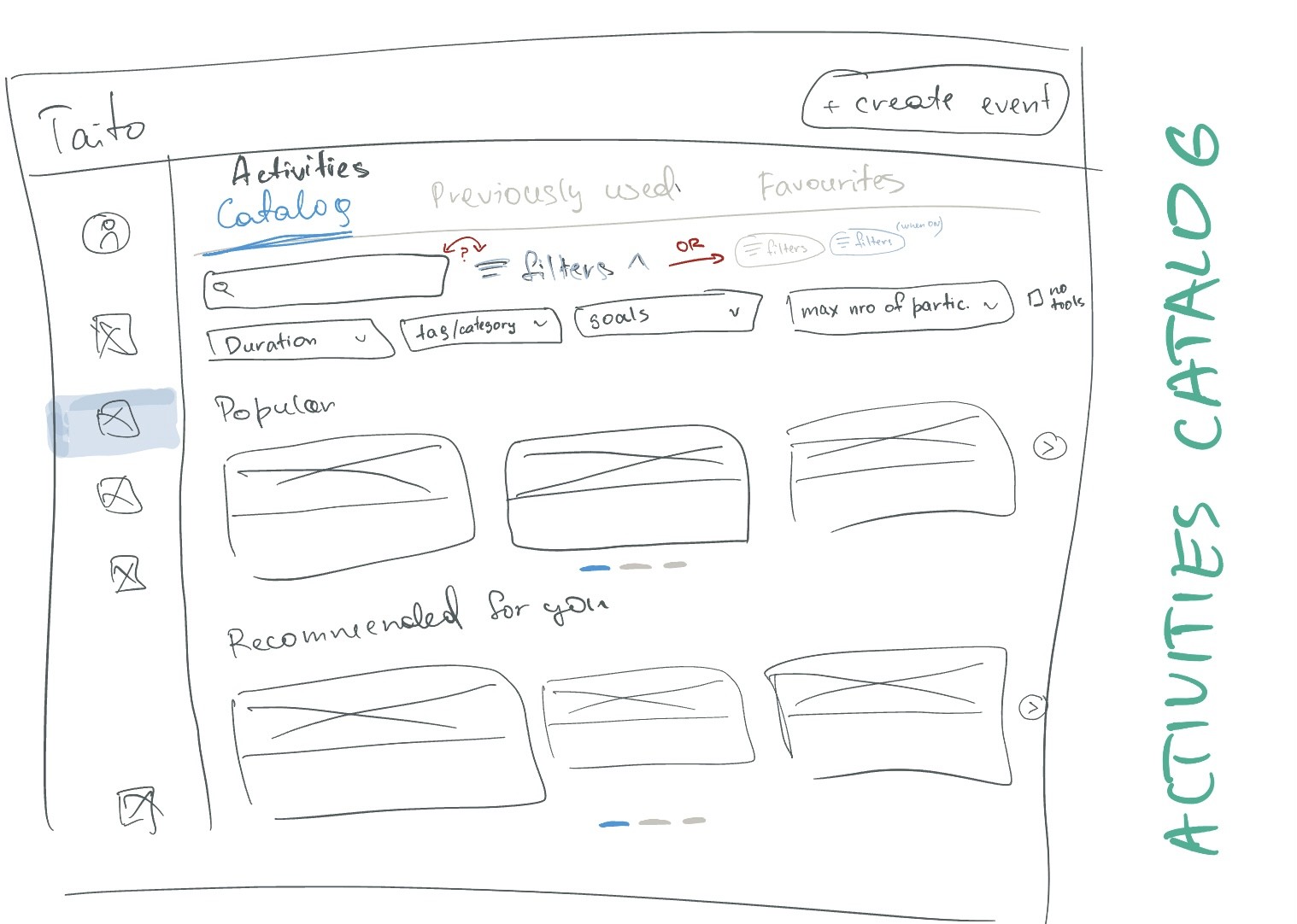
Ideating
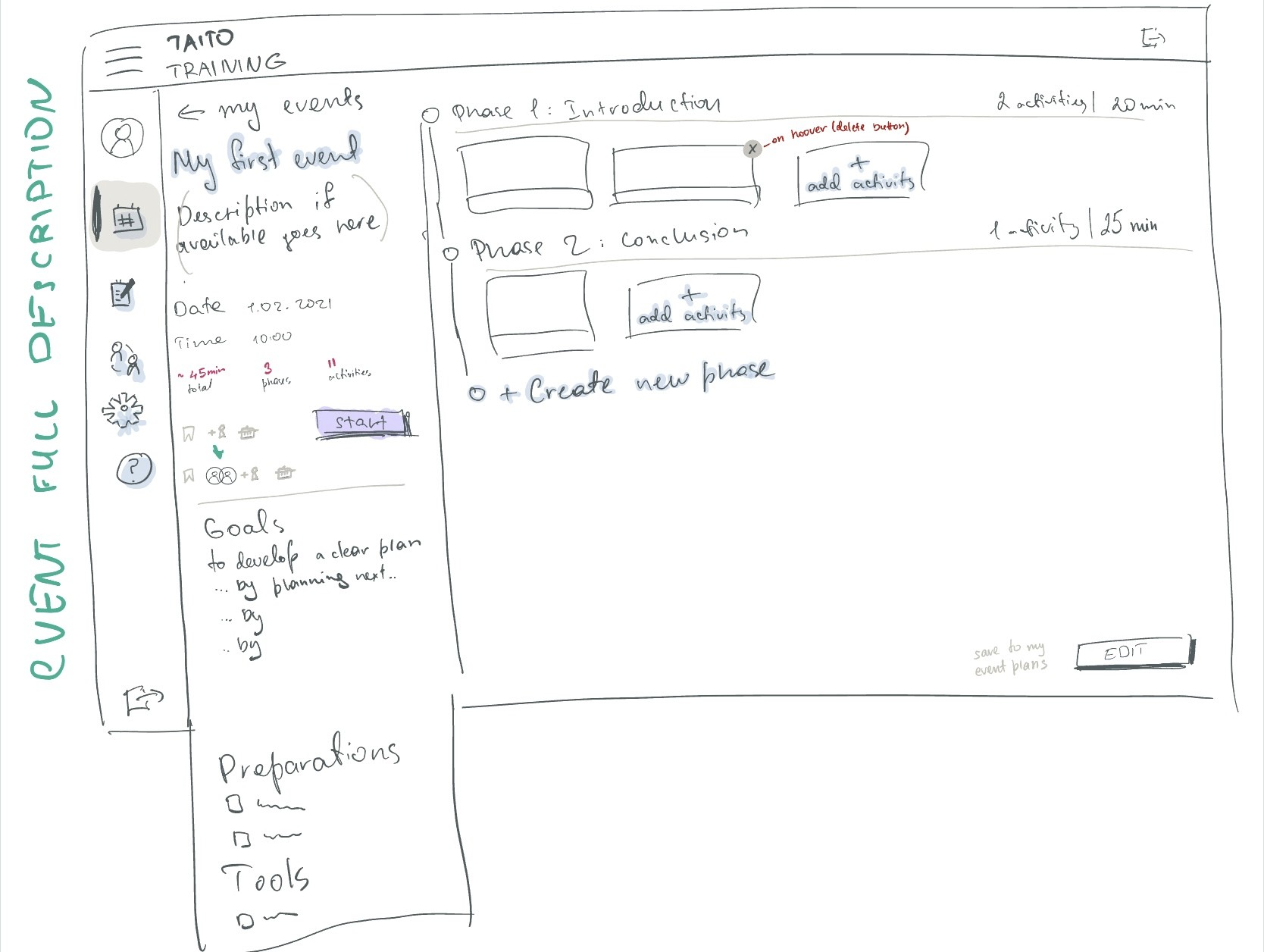
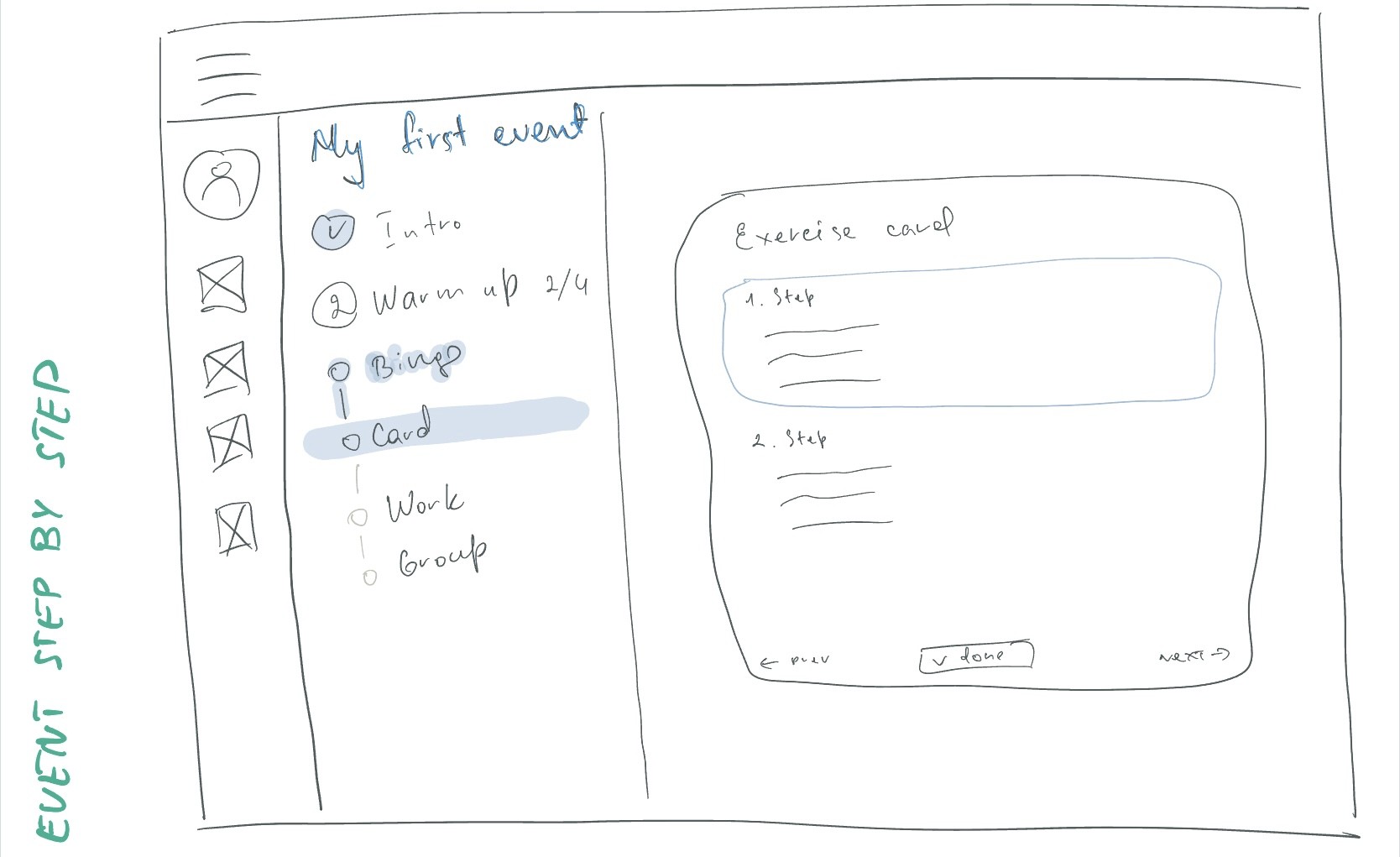
The final product
Activities library
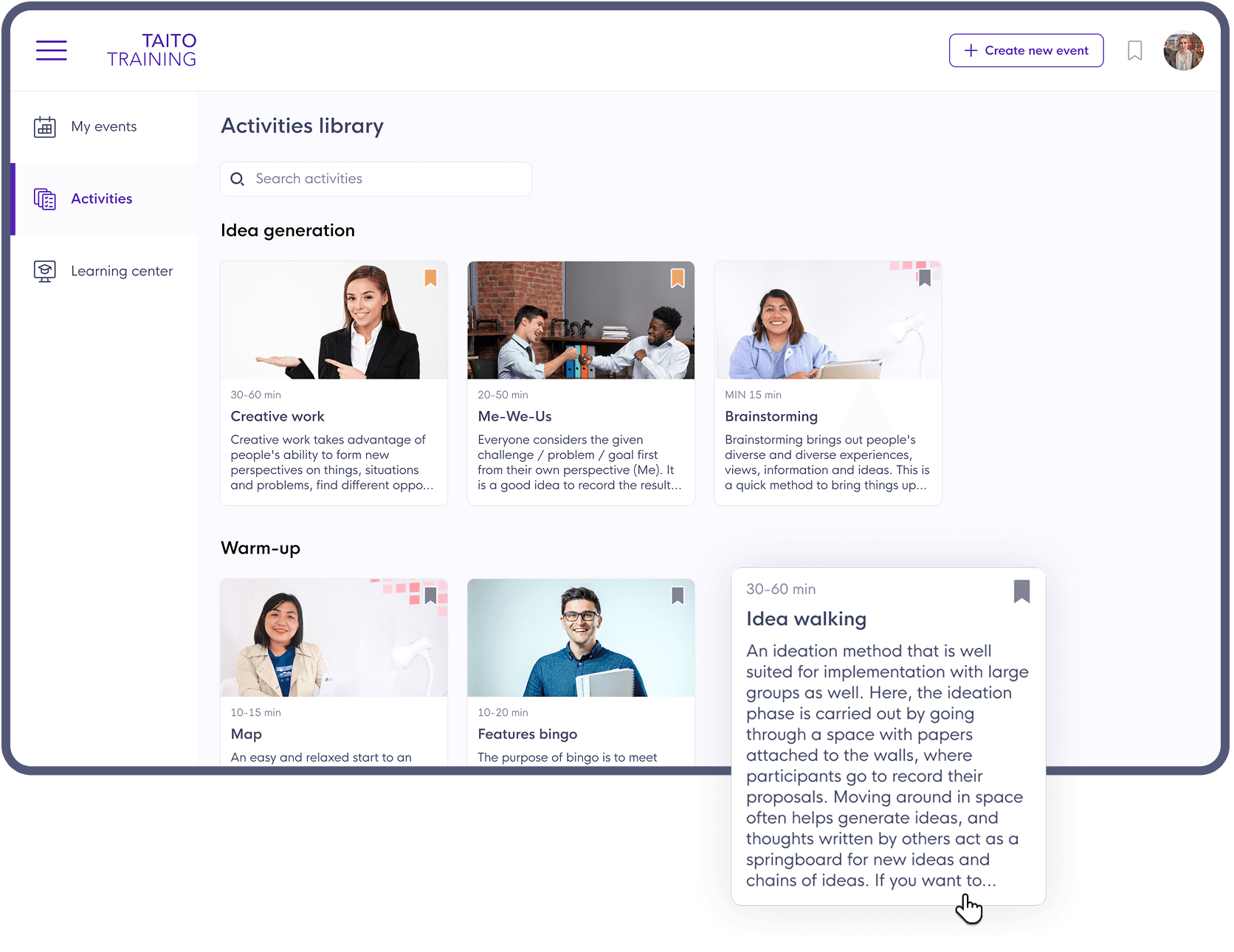
The activity library is minimalistic, so nothing distracts the user from choosing the correct activity. The name and duration is visible right away, and reading the full description is only a hover away.
Users can also add an activity to the favourites at any view stage.
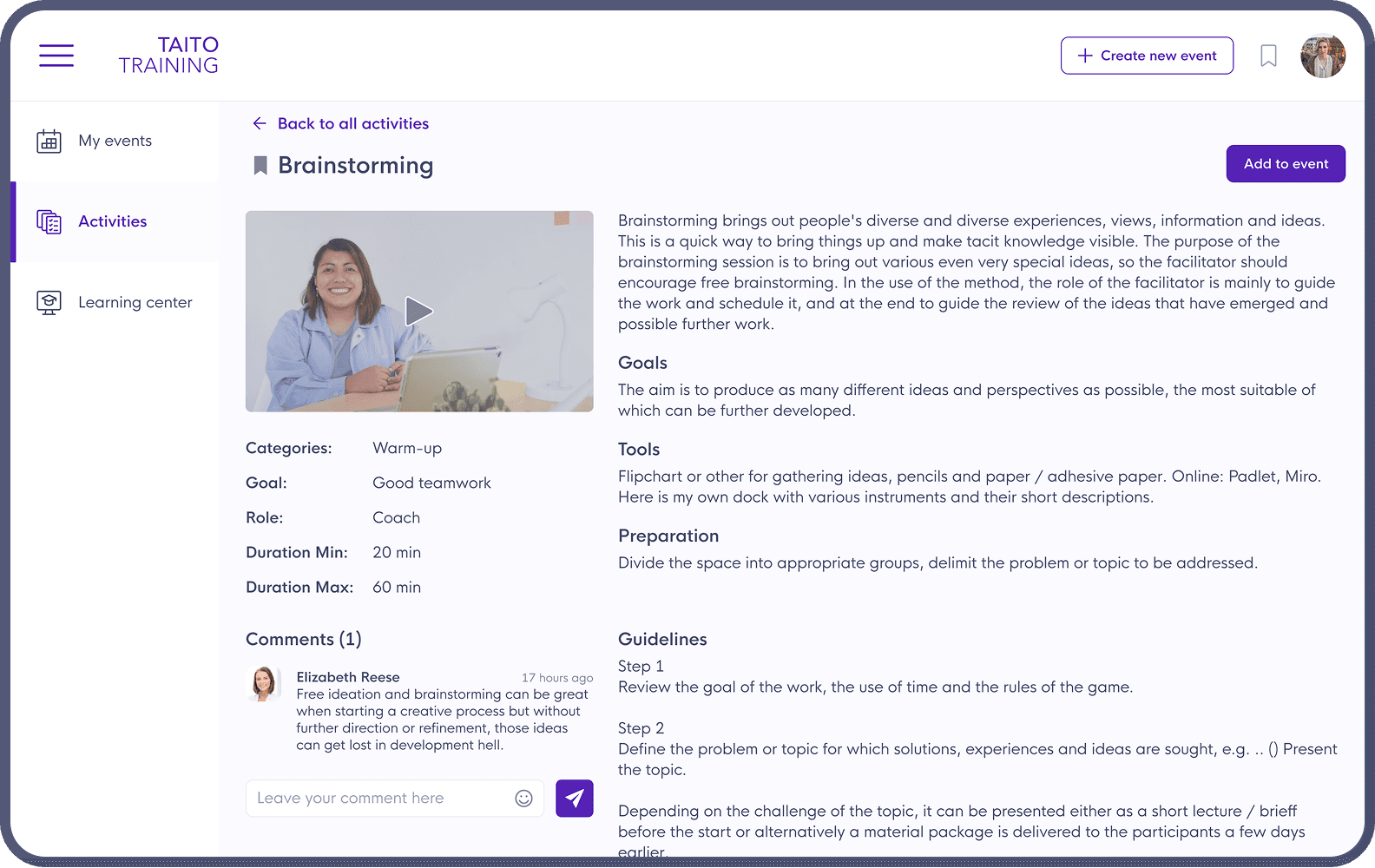
Activity Card
The expanded activity card includes many details and information.
Once familiar with the content, a user should make a decision if he wants to use this activity. If yes, then the CTA is there to proceed.
Event creation
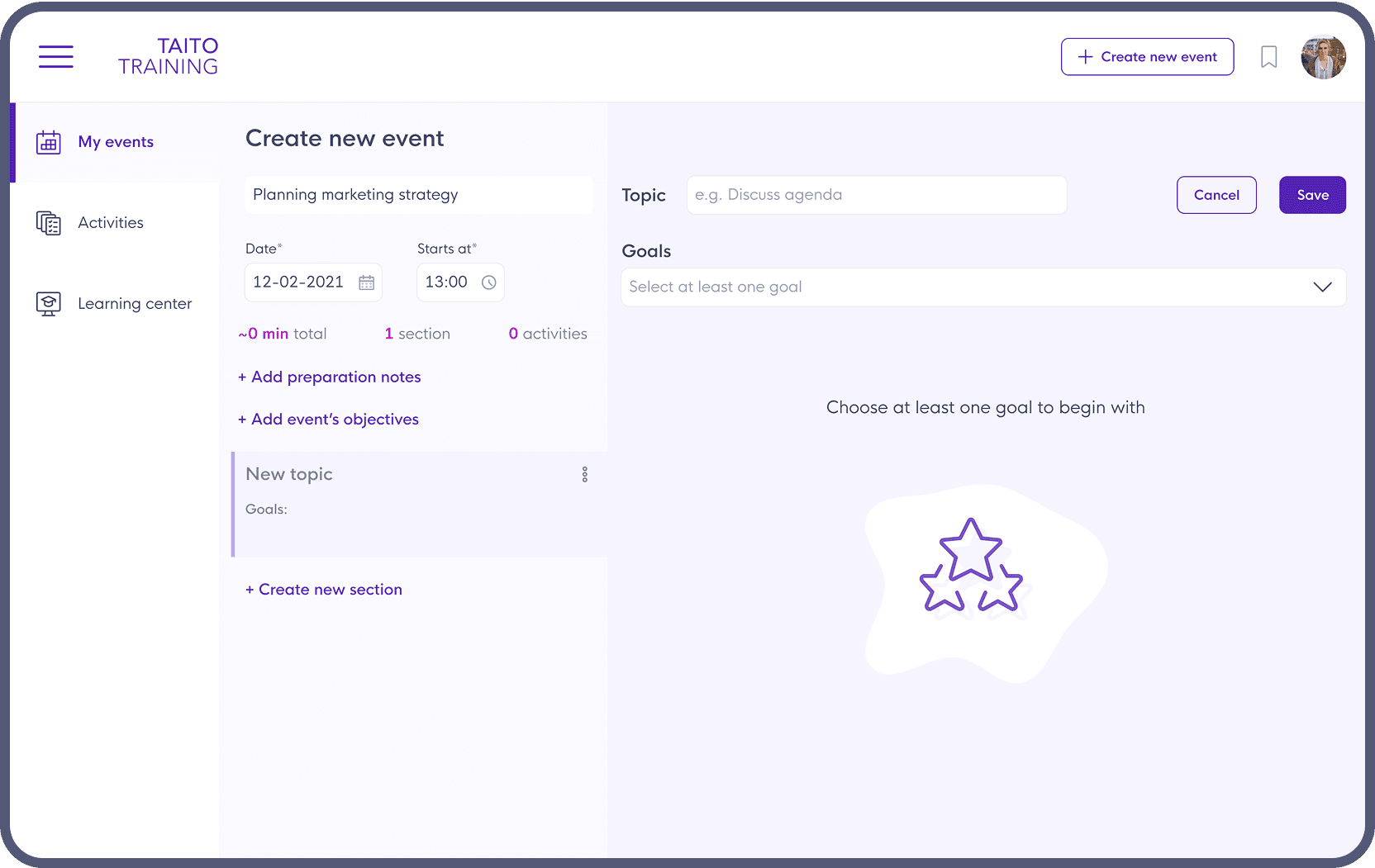
The structure and functionality of event creation are simple, easy to use, and correspond to both user personas’ needs.
The form is suitable for creating simple events with just a few activities as well as complex ones with a lot of details and structure.
My events
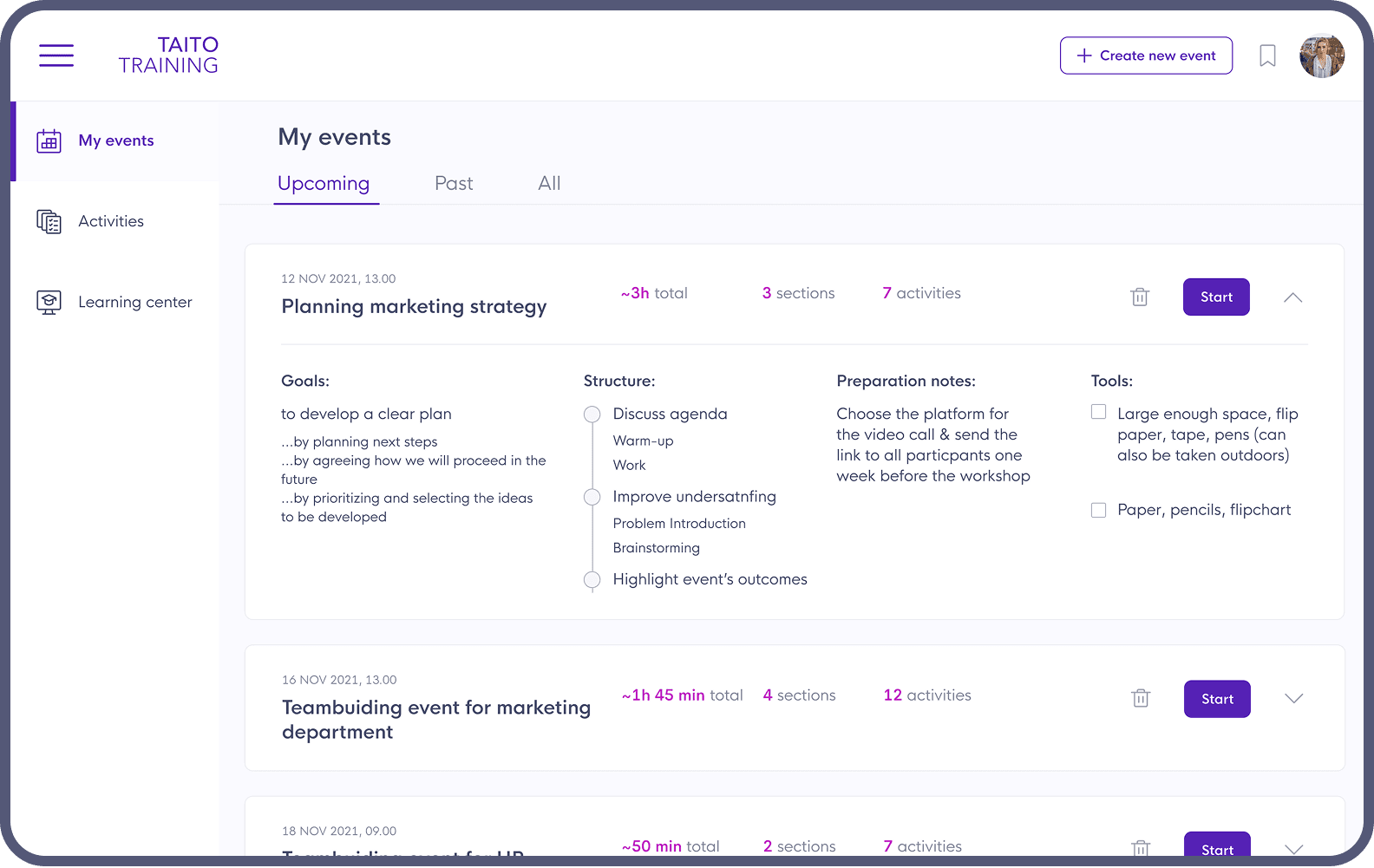
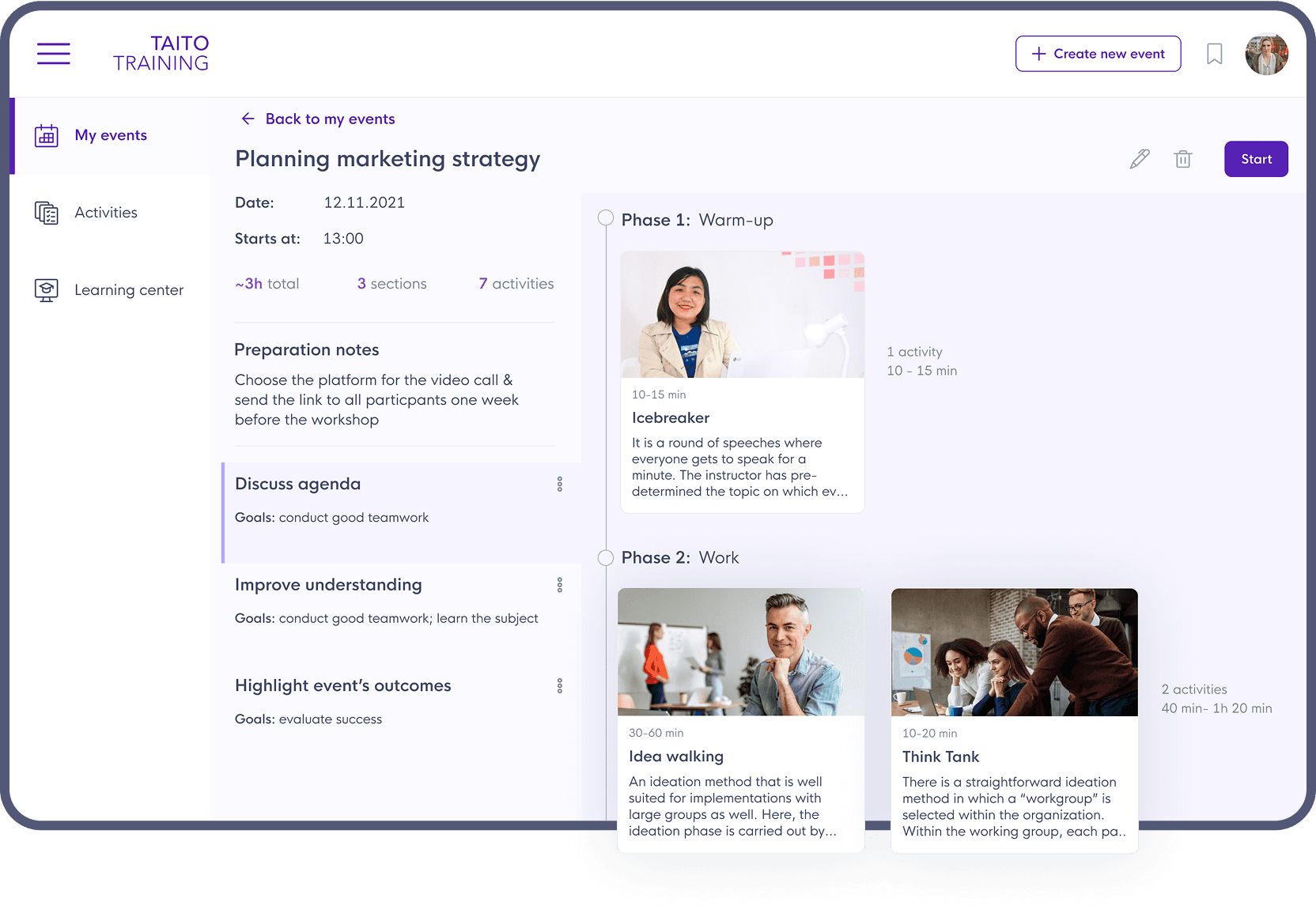
By clicking on a card, the full event description opens. Being similar to the Event Creation page, it is easier for users to understand it, check the structure with all details, as well as make changes and start the event right from this page.
Event in progress
During the event, showing its structure and overall progress at any stage is a necessity. Since the only content of any stage is one or few activities, they are also visible in the structure.
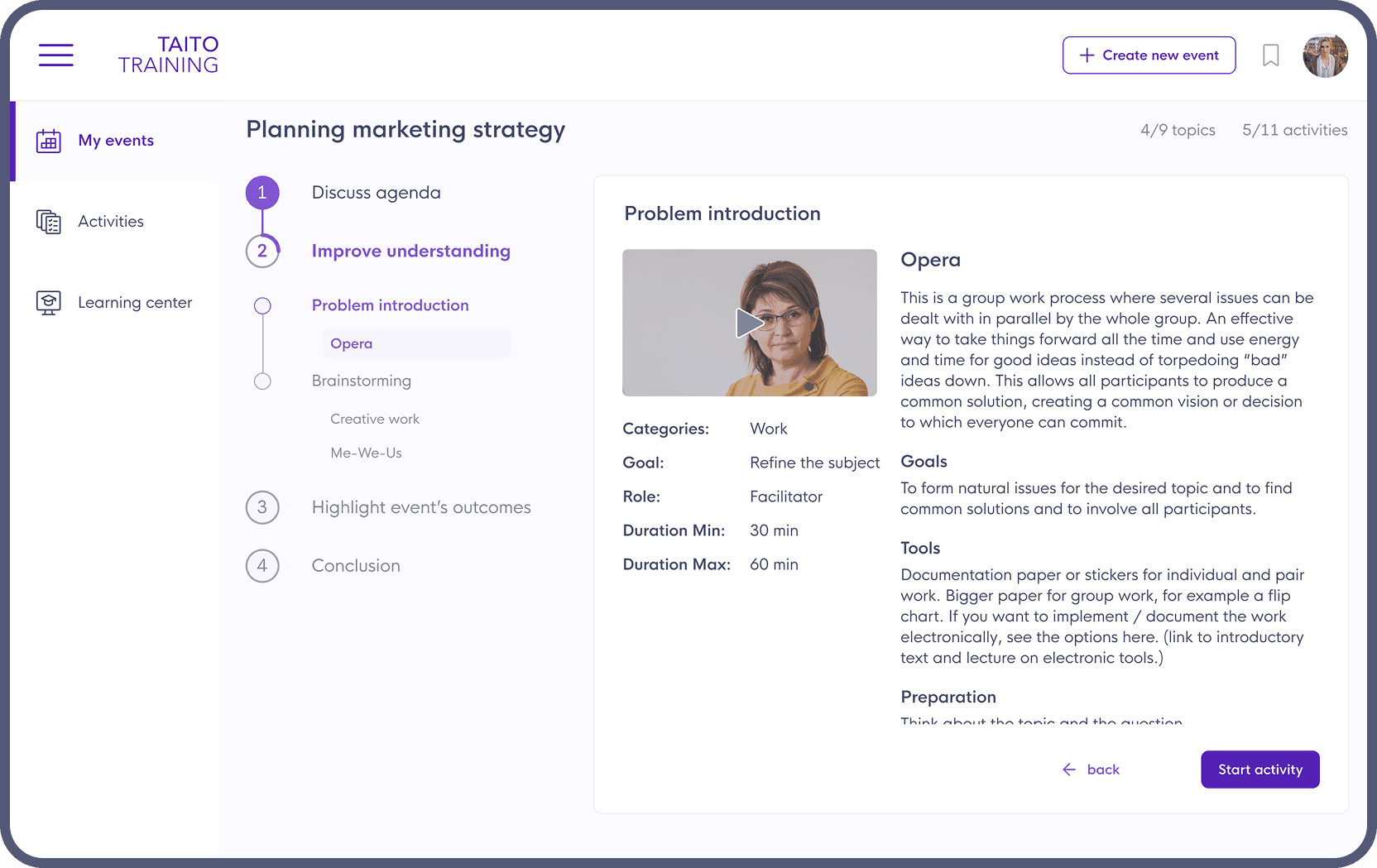
Before jumping into the activity, its overview is represented to remind the user what exactly is about to do.
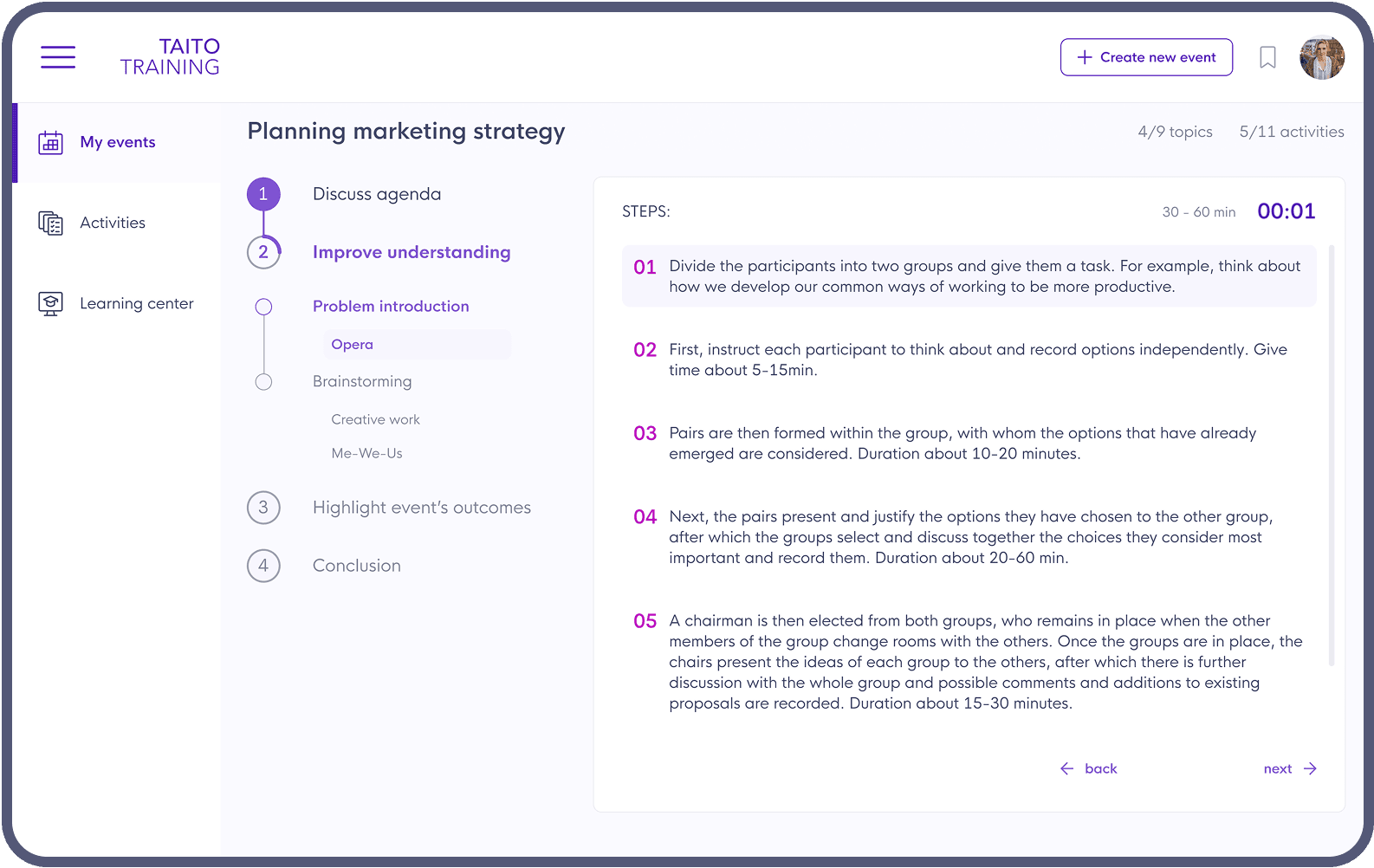
Once the activity starts, the user just needs to follow step-by-step instructions. In order to keep on track, the duration, together with a timer, is available right away.
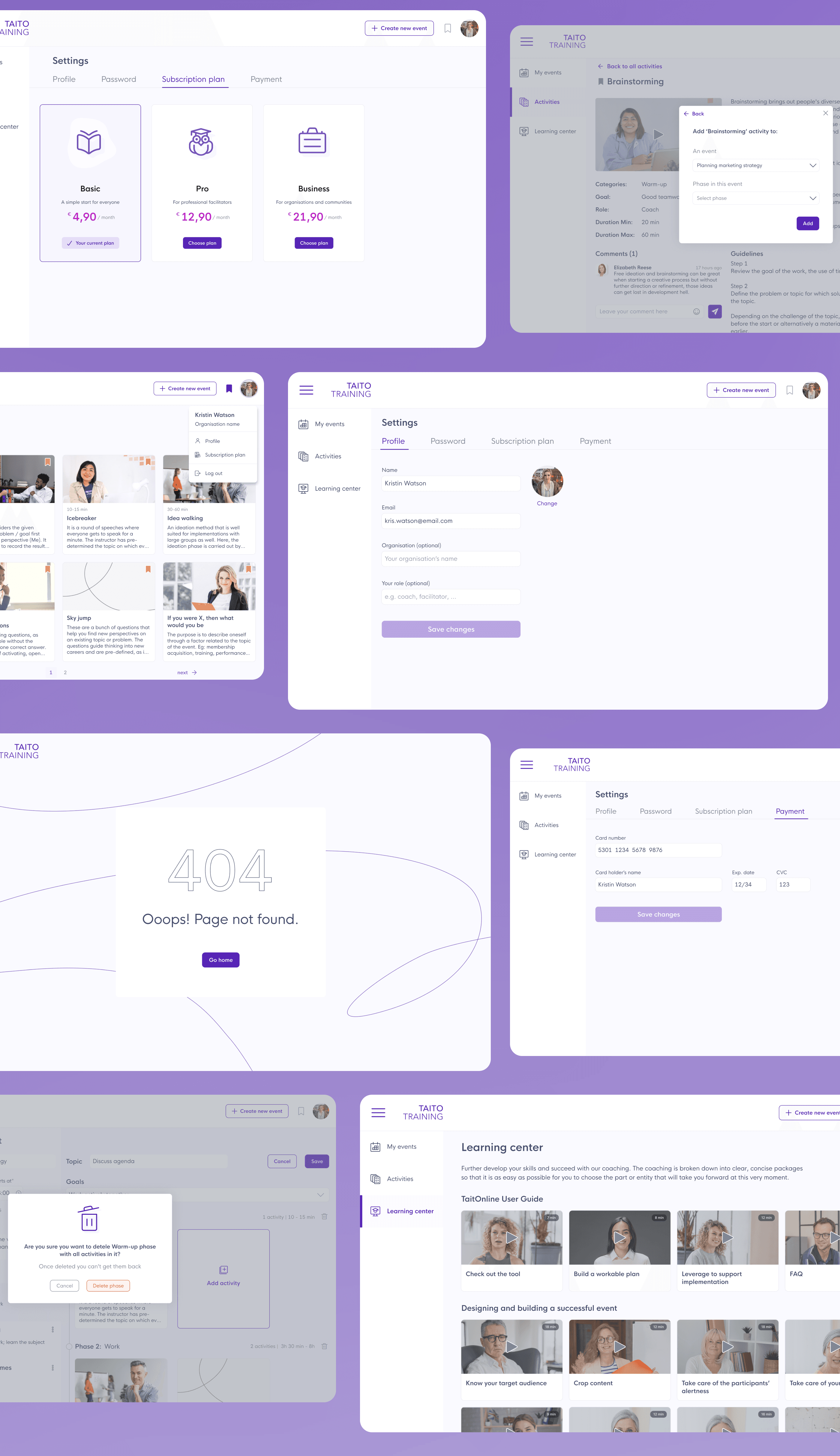
25+ other pages
FUTURE STEPS
Improve complex workshop creation and its conduction with the help of the platform
Add or connect a service to create a community where users can discuss and share the experience
Add the whole event templates, which will help in event creation and save time for preparation
Create the ability to save edited activities and entire events as templates to users' own libraries